
Finding your account ID
Every vote is credited to an ID that your server passes to the voting sites. It is the only thing AutoVote needs from you, and it takes about a minute to find.
-
01
Open your server's Vote page Log in to your server's website with your normal game account and find the page where you vote for rewards. It is usually called Vote, Vote for coins or Vote rewards.
-
02
Click the XtremeTop100 banner Your server sends you to the voting site with your ID already in the link. Any of the vote buttons works; XtremeTop100 is simply the one most servers have.
-
03
Copy the address bar Look at the URL you landed on. Your ID is the value after postback= (or pingUsername=, id= or incentive= on the other sites). Paste either the ID or the whole URL into AutoVote; we read it for you.
Example: Jade Dynasty Reborn
Reborn uses a number, not your login name. On the Vote page, click the XtremeTop100 banner:
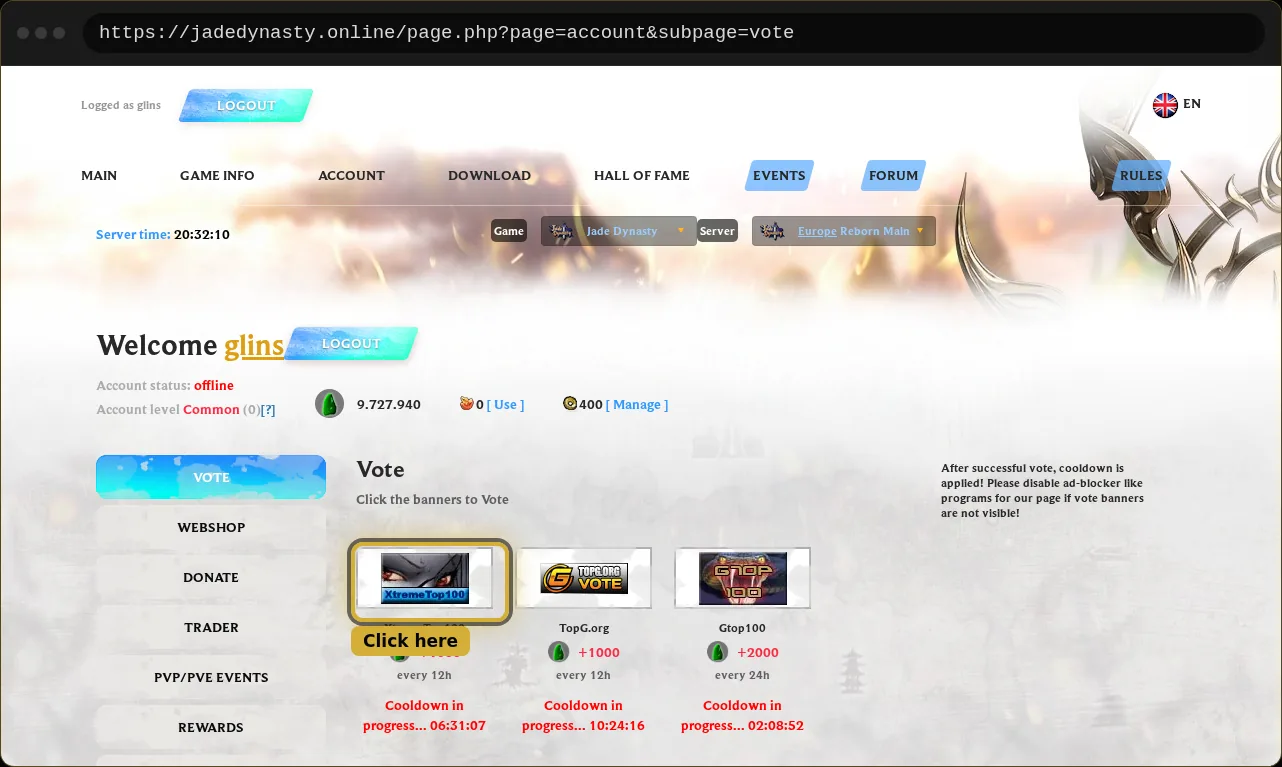
You land on XtremeTop100. The number after postback= is your ID. Copy it, or copy the whole address:

Example: Heaven PW
Heaven PW passes your account name. The Voting table is on the panel's main page:
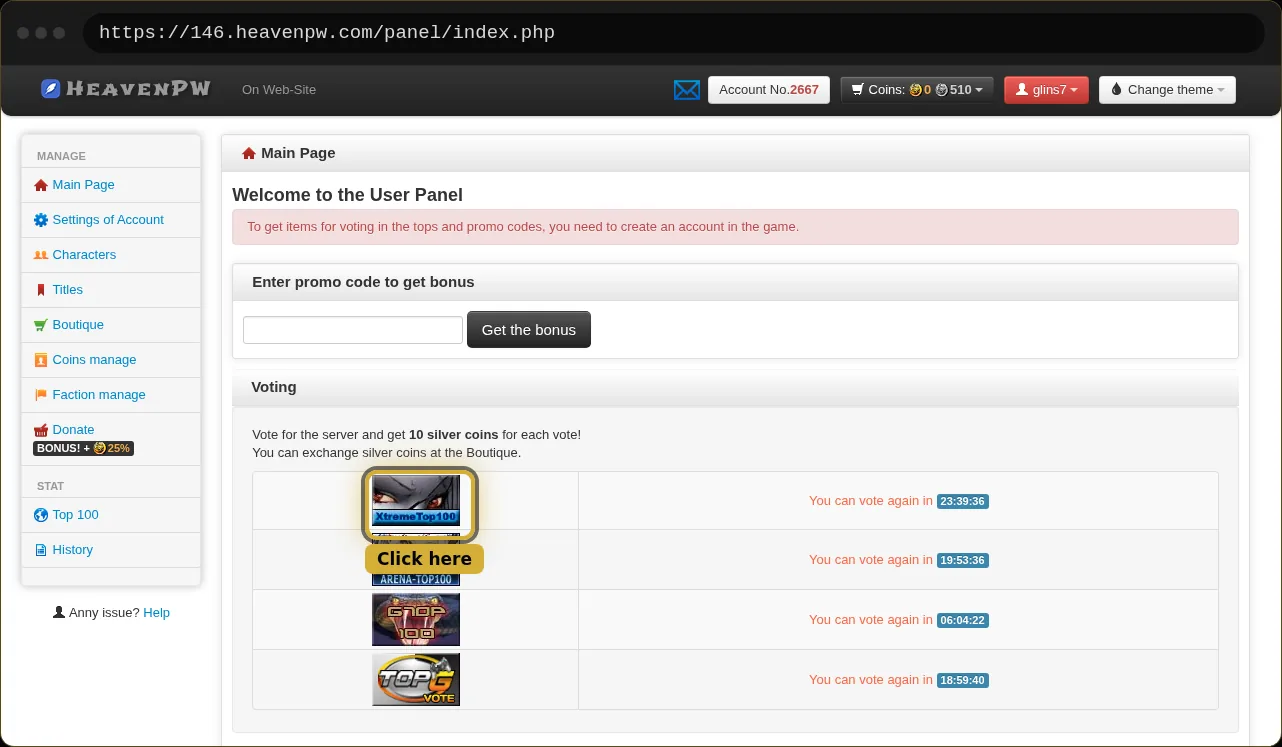
Here the value after postback= is the account name itself:

Example: Asteria MU and Evolved Perfect World
Both use your account name and list every site in one table. Press the XtremeTop100 vote button and read the address bar the same way:
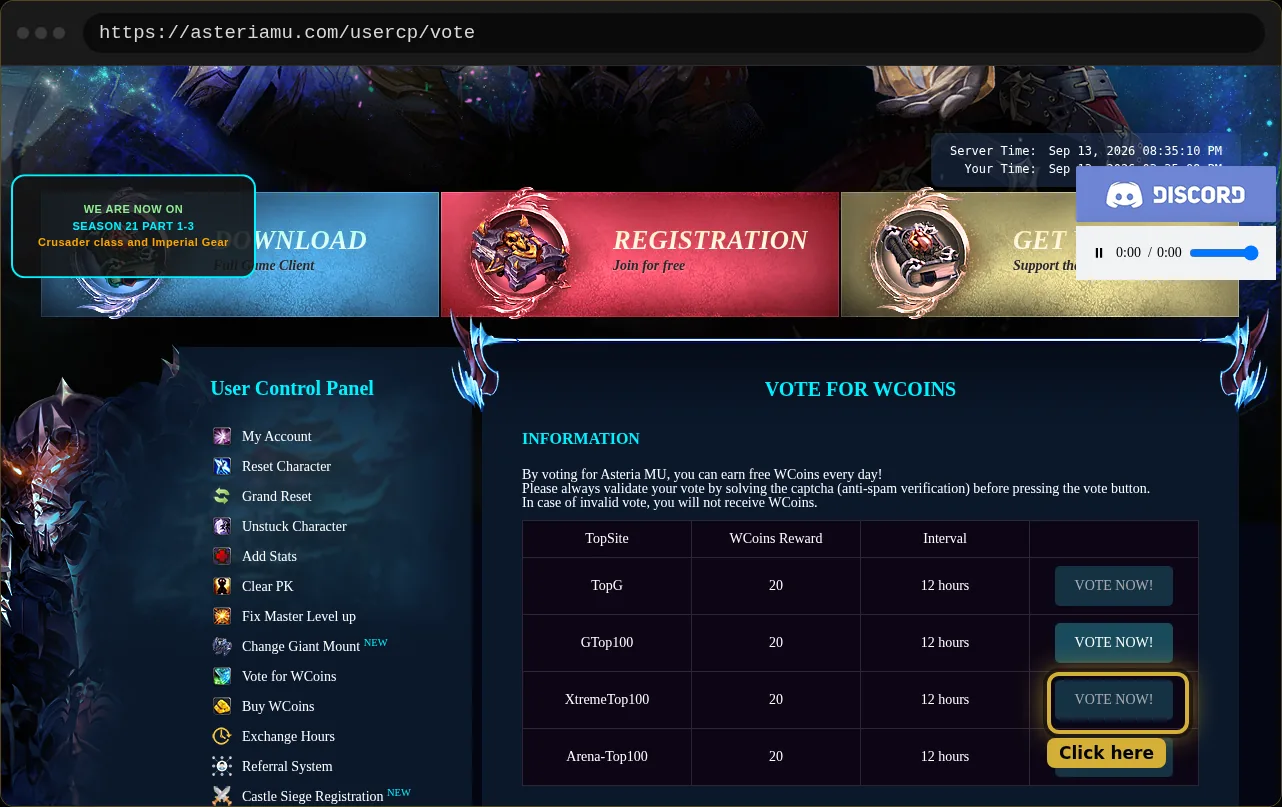
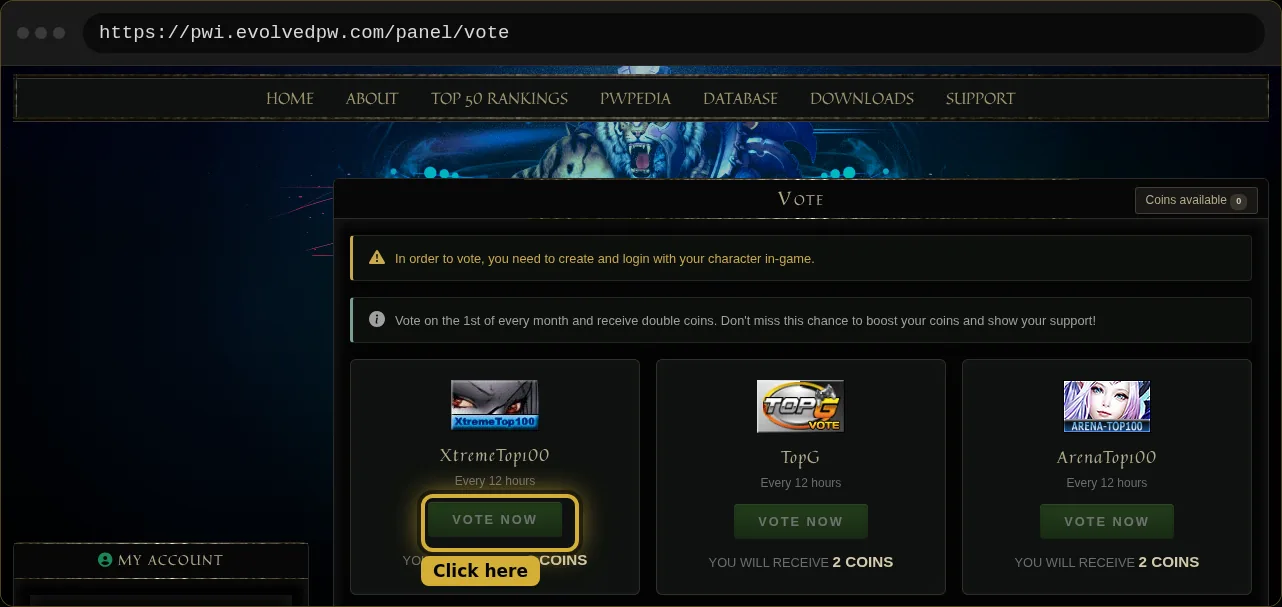
Evolved Perfect World and Heaven PW only pay out once the account has a character in game. Create one before you start.
Not sure which value is yours? Email us at support@autovote.gg with a screenshot and we will tell you.